Your AI Assistant,
Right in Your Browser
Chat with Claude, GPT, Gemini, and more directly from any webpage. Bring your own API key and keep full control of your data.


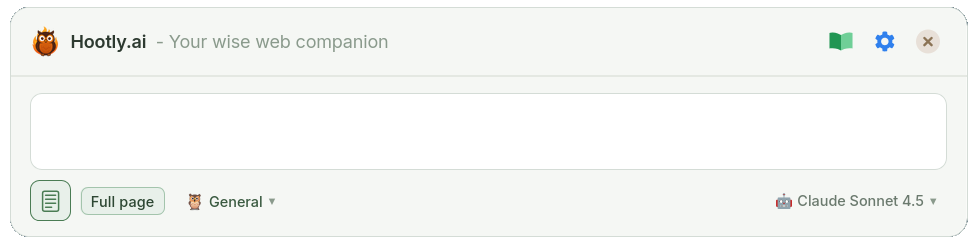
Bring Your Own Key
Use your own API key from OpenAI, Anthropic, Google, or OpenRouter. You control your costs directly — no middleman, no hidden fees.
Privacy Friendly
All your data stays locally in your browser. No telemetry, no tracking, no analytics — your conversations remain private between you and your chosen LLM.
History & Personas
Browse, search, and continue past conversations anytime. Switch between custom personas to tailor AI responses for different tasks — all stored locally in your browser.
Multilingual
Use Hootly.ai in your preferred language. Supports English, Dutch, German, French, Spanish, Italian, Portuguese, Chinese, Japanese, and Korean.
Frequently Asked Questions
Is Hootly.ai free to use?
Hootly.ai uses a BYOK (Bring Your Own Key) model — the extension is open-source with no subscription fees. You only pay for actual API usage directly to your LLM provider, with no middleman.
What is BYOK?
BYOK stands for "Bring Your Own Key." You provide your own API key from an AI provider (OpenAI, Anthropic, Google). This gives you full control over costs, no markup, and direct billing with your provider.
How do I get a Claude API key?
Go to console.anthropic.com, create an account, and generate an API key from your dashboard.
How do I get an OpenAI API key?
Visit platform.openai.com, sign up for an account, then create an API key in your account settings.
How do I get a Google Gemini API key?
Go to aistudio.google.com, sign in with your Google account, and create an API key.
How do I get an OpenRouter API key?
Visit openrouter.ai, create an account, and generate an API key. OpenRouter provides access to multiple AI models through a single API.
How do I set a keyboard shortcut?
Chrome: Go to chrome://extensions/shortcuts in your address bar, find Hootly.ai, and set your preferred shortcut (e.g., Alt+C).
Firefox: Type about:addons in your address bar, click the ⚙️ gear icon, select "Manage Extension Shortcuts", find Hootly.ai, and set your shortcut.
Where is my data stored?
All your data is stored locally in your browser. No data is sent to external servers except API calls to your chosen LLM provider.
Is my API key safe?
Your API key is stored locally in your browser's storage and is only sent to official API endpoints — never to any third-party servers.